

How to Register
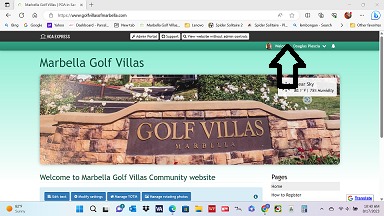
Welcome to the Golf Villas of Marbella Website, please review the quick instructions on how to register below.
Condo Owner (Resident)
Select Sign On button at the top right corner of the home page.
- If your email is recognized (i.e imported), you need to only Enter a password.
- If Not, select "Register" button.
New Owner/Renter/Homeowner
- Select the "Register" button at the top right corner of the home page
- Select Type*
- Fill in Name**, Email, Address, password
- Password can be any combination of letters and/or numbers.
- Save your information.***
* Type:
Condo owner- resident within community
Home owner - owner of condo but resides outside community
Renter - resides within community
**Name:
To include second household member use the add button at bottom of form. Household member must use primary member sign on, but can receive individual emails. Optionally, joint members can register individually as members
***Access may be required by Administrator verifying Address. Registered member will be notified within a day or so via email and then be directed to the website.
Note: Most Condo Owner residents have been imported & need only add a password to complete registration. FOR SECURITY REASONS, ONCE REGISTRATION IS COMPLETE, IT WILL BE REVIEWED & APPROVED BY ADMINISTRATOR. This may take up to one day.
To add website to Home Screen or browser, click on “share” icon then favorites, or bookmark, or home page